Wedding Planner Bundle

Plan the day.
Keep the details together.

From the first budget to the final song. Organise your costs, guests, preparations and wedding-day handover with a connected workbook, a practical guide, an offline Planning Studio and a separate Seating Planner.

23 workbook tabs29-page guide2 offline browser tools
Explore the bundle

English digital files. Your own editable copy.

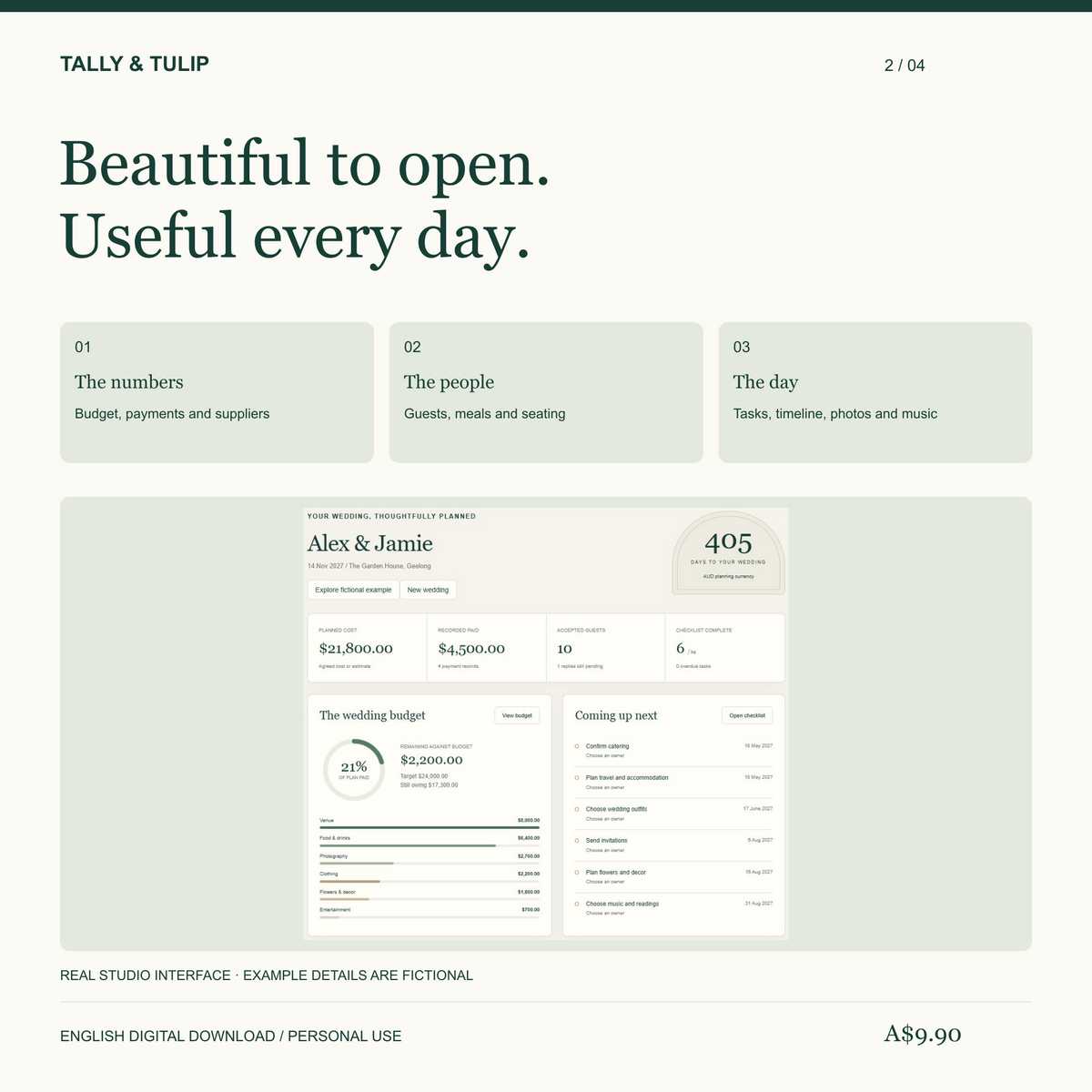
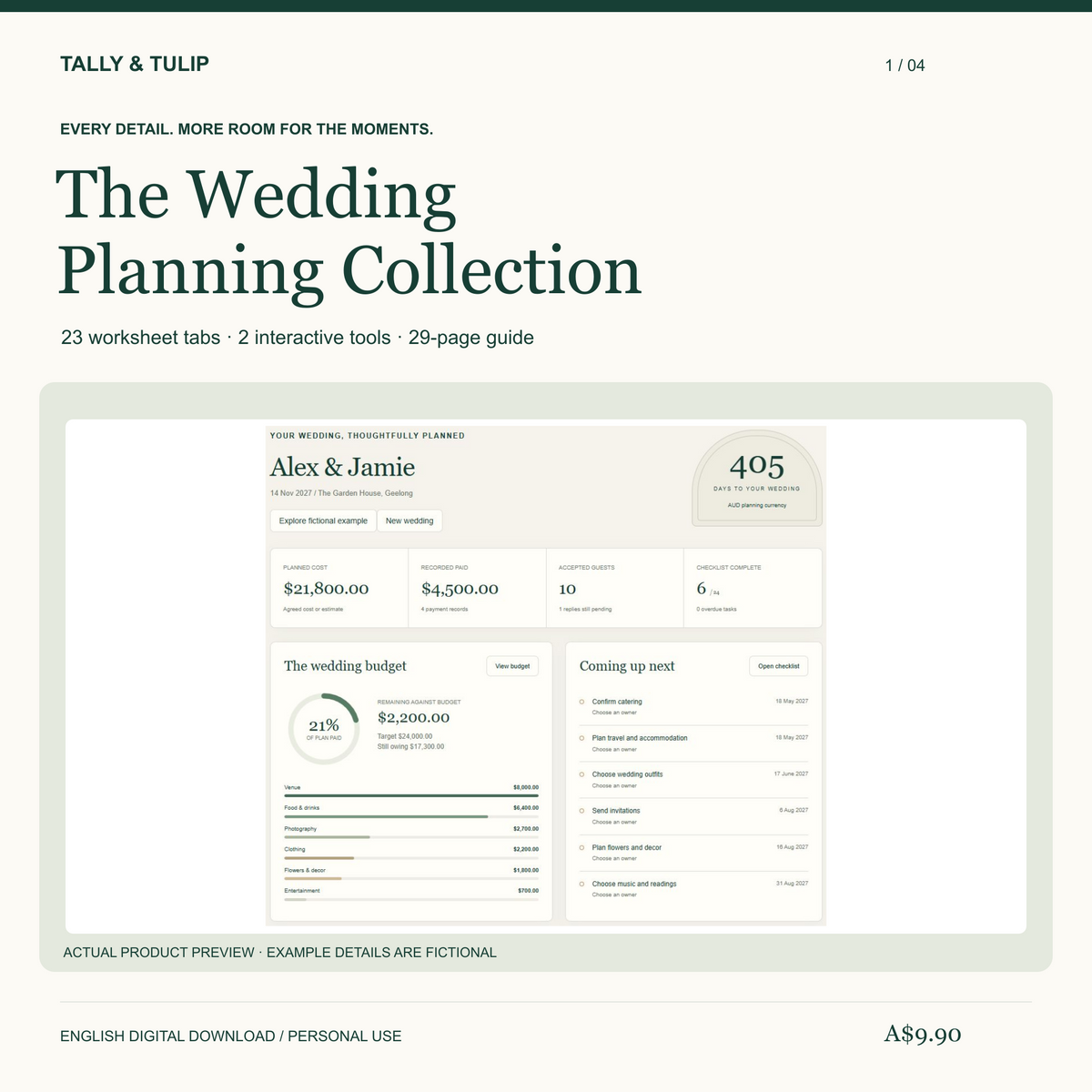
Wedding Planner Bundle with a fictional Planning Studio overview, 23 workbook tabs, two browser tools and a 29-page guide.

Actual product previews. Example people and figures are fictional.

Connected recordsBudget, payments, guests and meals
A useful starting pointEditable tasks and planning prompts
Ready to hand overPrint the details your team needs

The Tally & Tulip collection

Plans for the
moments ahead.

From the wedding day to the everyday. Explore practical workbooks and offline Studios for your celebration, travels and home.

7 products to explore

Wedding Planner Bundle with a fictional Planning Studio overview, 23 workbook tabs, two browser tools and a 29-page guide.

Wedding Planner Bundle

The guest list, the money, the details—and a room plan you can move around.

23-tab workbook · Planning Studio · Seating Planner
29-page guide with six printable handover pages.

$9.90 AUD See what is included
Honeymoon and Travel Planner with a fictional Travel Studio overview, 14-tab workbook and 12-page guide.

Honeymoon & Travel Planner

From the daily itinerary to the final shared-cost balance. Keep plans, bookings and travel essentials in view.

14-tab workbook · Travel Studio · 12-page guide
Two-traveller cost sharing and manual currency rates.

$9.90 AUD See what is included
Hens and Group Trip Planner with a fictional Studio overview, 15-tab workbook and 12-page guide.

Hens Party & Group Trip Planner

A group plan where activity costs follow the people taking part. Coordinate attendance, signups and payments.

15-tab workbook · Group Trip Studio · 12-page guide
Whole-group and activity-specific cost allocation.

$9.90 AUD See what is included
Move-in planning collection with a fictional Studio overview, 15-tab workbook and 14-page guide.

First Home Move-in Planner

Know what is packed, where it belongs and what still needs doing. Connect your rooms, boxes and moving costs.

15-tab workbook · Move-in Studio · 14-page guide
Linked inventory, tasks, costs and handover records.

$9.90 AUD See what is included
Wedding Stationery Studio cover with editable menu, invitation and table-number designs using fictional example details.

Wedding Stationery Studio

A coordinated stationery collection, edited in your own browser. Refine the wording and prepare the printed details.

12 editable designs · 4 palettes · 14-page guide
Batch place cards, table numbers and SVG export.

$9.90 AUD See what is included

English digital downloads. The collection contains the same complete products sold individually. Tools keep separate records; there is no automatic sync between them. Check each product’s files, software needs and practical limits before buying.

See what is inside

Six collections.
One closer look.

Explore workbook views and offline tools across all six products in this captioned collection walkthrough. Sound is not needed.

Real product previews with clearly labelled fictional examples. The tools keep separate records; there is no automatic sync.

Explore the complete collection →

Useful from the
first decision.

Start with the essentials, then use the sections that fit your wedding. Clear input cells and worked examples show where to begin.

01

Understand your budget

Keep estimates, agreed costs, paid amounts and outstanding balances connected. Review overdue payments and the next 7 or 30 days.

100 costs + 300 payment instalments
02

Bring the guest details together

Record each person once. Accepted replies feed meal counts and table totals, with checks for missing choices and over-capacity tables.

300 guests + 30 tables
03

Keep the preparations moving

Start with editable planning prompts. Due dates follow your wedding date, with your own overrides, priorities and owners.

72 prewritten tasks + room for 28 more
04

Compare before deciding

Organise supplier quotes and venue options. Record inclusions, practical questions, contact details and follow-up actions.

80 supplier candidates + 12 venues
05

Give the day a clear plan

Prepare your timed running order, photo requests, music cues, ceremony, decor and packing. Use printable pages for the final handover.

80 timed events + 6 printable handover pages
06

Explore the seating layout

Use the separate offline browser tool to move tables, seat guests, review meal counts and prepare a printable roster.

CSV import + JSON backups; no automatic workbook sync
Wedding planning features for budget, guests and the day, above a Planning Studio screenshot with fictional example data.

Your wedding planning download

Wedding Planner
Bundle

$9.90 AUD

One practical set of planning files for couples organising their own wedding.

  • 23-tab workbook with linked summaries and three overview charts
  • Guest, household invitation, meal and table records
  • 72 editable tasks plus photo, music, ceremony and packing prompts
  • 29-page guide with tutorials and six printable handover pages
  • Offline Planning Studio for editable records, filters, JSON backups and CSV exports
  • Separate Seating Planner for table layouts, guest assignments and printable rosters
View the bundle

English · XLSX + PDF + HTML · Digital files only
Requires suitable spreadsheet software, a PDF reader and a desktop browser. No automatic sync between files.

Inside your download

Four tools.
Your planning routine.

The workbook

Your main record for money, people, tasks and arrangements. Yellow inputs and sage calculations make the structure clear.

The guide

Step-by-step tutorials, an explained budget example, supplier email templates and pages to print for your wedding team.

The Planning Studio

An offline browser workspace for budgets, payments, guests, tasks and wedding-day records, with search, filters, CSV exports and JSON backups.

The Seating Planner

A separate browser tool. Move tables, assign guests, check capacity and meals, then prepare a printable roster and save a JSON backup.

Before you begin

A few useful
answers.

What is included?

One 23-tab .xlsx workbook, one 29-page English PDF guide with six printable handover pages, Wedding-Planning-Studio.html, Seating-Planner.html and a short getting-started text file. Five digital files are included in the ZIP.

What software do I need?

Use a desktop spreadsheet app that opens and edits .xlsx files, a PDF reader and a desktop browser with JavaScript for the two separate HTML tools. A native Google Sheets edition is not included. Specific spreadsheet applications and versions have not yet been verified.

Do the workbook and browser tools sync?

The workbook, Planning Studio and Seating Planner keep independent records. The Seating Planner can import a guest CSV; the Planning Studio restores only its own JSON backups. If moving records manually, check names and IDs together because IDs can refer to different people in different tools. There is no automatic sync.

Can I customise the workbook?

Yes. Yellow cells are your inputs and planning prompts are editable. Sage cells contain formulas or fixed IDs. Formula cells are not locked, so keep a backup and avoid overwriting them. The prepared row limits are fixed; extra rows are not included automatically.

Does it send reminders, invitations or payments?

No. You maintain the records yourself. The files calculate planning summaries and show due-status checks, but do not send notifications, contact guests, pay suppliers or make bookings.

Can I use my own currency?

Yes. Set one currency label in Setup and use that currency consistently. The label does not convert money or apply exchange rates. Honeymoon spending is kept separate unless you deliberately add it to the wedding budget.

Can I share the arrangements with my venue?

You may share the necessary completed plans with people helping with your own wedding. Do not resell, redistribute or publish the blank templates. Share only the guest information each person needs.

Is the seating layout a venue floor plan?

It is a conceptual planning sketch, not a scale drawing. Confirm actual space, clearances, accessibility and safe capacities with your venue. The tool supports up to 300 guests, 30 tables and 20 room items.